
Solutions · Residential & Commercial
Wi-Fi & Networking
Fast, secure Wi-Fi in every corner, built on a properly designed network. The foundation that every smart home and modern business runs on.
Wired vs. wireless
Wire what you can. Use Wi-Fi for everything else.
Wi-Fi is convenient, but it is shared radio space: every phone, tablet and smart speaker takes turns talking. A cable is a private, dedicated lane. The best networks use both, each where it makes the most sense.
Best for anything that stays put
Hard-wired (Ethernet)
TVs, streaming boxes, game consoles, desktops, office printers, access points and cameras.
- Full speed, all the time, no matter how busy the Wi-Fi is
- Lowest latency for gaming, video calls and 4K streaming
- Immune to walls, distance and neighbours’ interference
- Frees up wireless airtime for the devices that need to move
- Power over Ethernet runs cameras and access points on the same cable
- Harder to snoop on than a radio signal
Best for anything that moves
Wireless (Wi-Fi)
Phones, laptops, tablets, smart-home sensors and guests’ devices.
- Freedom to roam the house, yard or office
- No cable needed where running one is impractical
- Speed drops with distance, walls and floors
- Every device shares the same airtime on a channel
- Performance depends on good design and placement
Our rule of thumb: if a device doesn’t move and it can be wired, wire it. Every device you take off the Wi-Fi makes the wireless faster for everything else.
Access points vs. repeaters
Why we don’t use Wi-Fi extenders
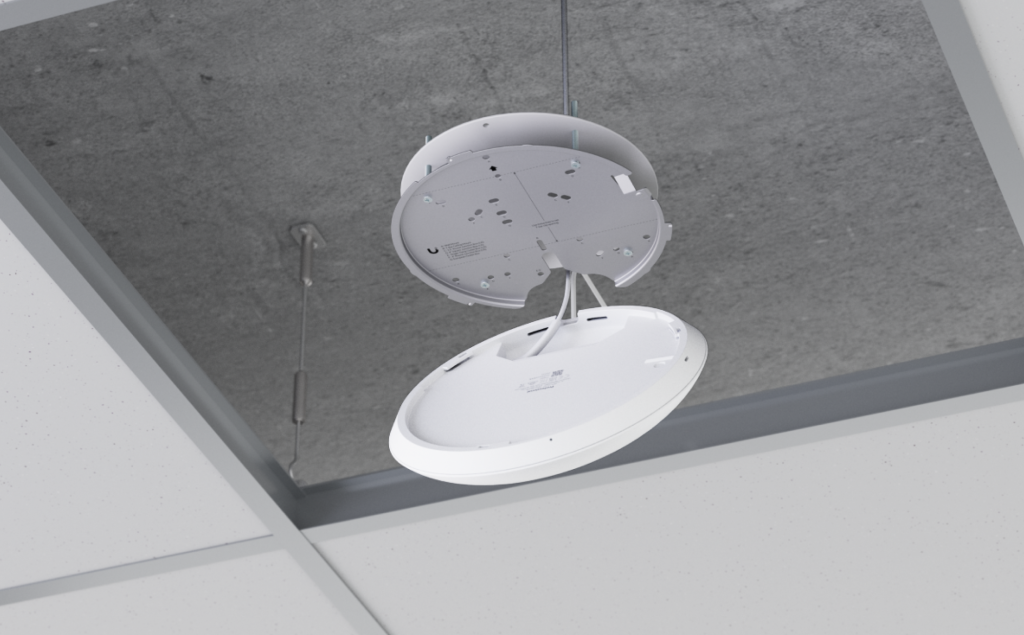
Plug-in repeaters and many consumer mesh kits fill dead zones by catching a weak signal and re-broadcasting it. Every wireless hop can cut throughput roughly in half and adds delay. Wired access points are each connected back to the network with a cable, so every room gets a full-strength connection.
Repeaters & wireless mesh
- Re-broadcast an already weak signal
- Each hop can cut speed in half
- Added latency for calls and gaming
- Devices often “stick” to the wrong unit
- Consumer gear with limited control
Wired access points
- Each AP gets full speed over its own cable
- Powered by PoE: no outlet needed on the ceiling
- Seamless roaming from room to room
- Discreet ceiling or wall mounting
- Centrally managed, monitored and updated
Design & verification
We design it first, then we measure it
Good Wi-Fi is planned, not guessed. Using UniFi Design Center we load your floor plans, model walls and materials, and place each access point where it will do the most good before a single hole is drilled.
- Predictive coverage heatmaps for every floor
- Access point placement and channel planning
- Cable runs and rack location planned up front
- On-site signal measurements after installation
- Adjustments until every room meets the target
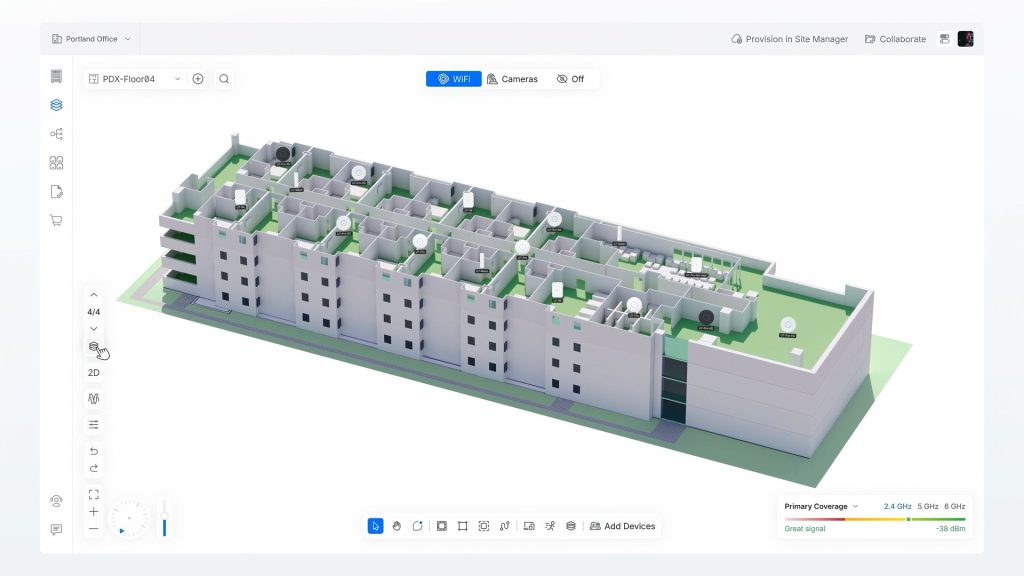
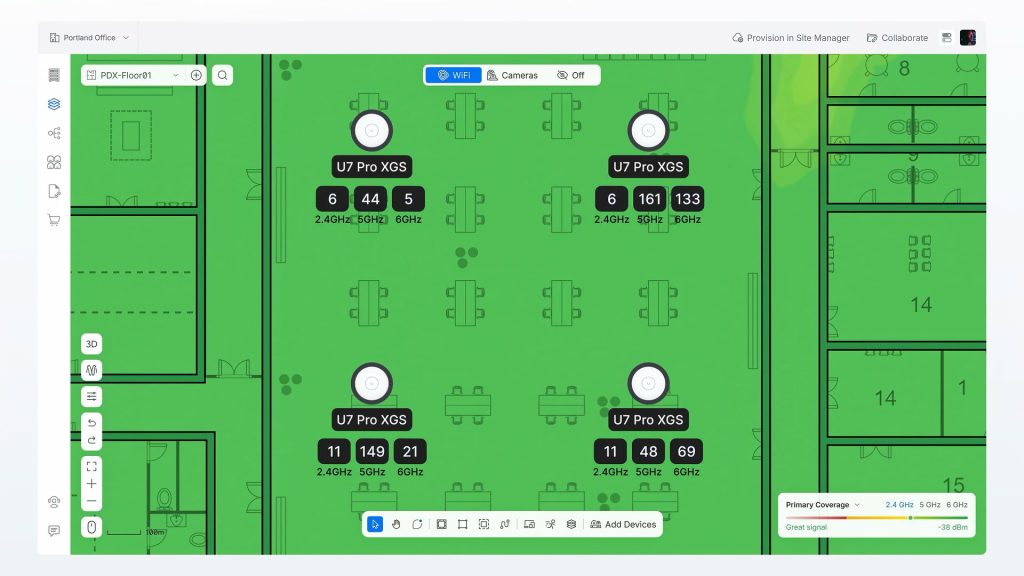
See your coverage before you buy
The heatmap shows expected signal strength room by room, green where it is strong and yellow where it fades. You see exactly where each access point goes and why, and we use the same plan to verify the finished install with real measurements.
Design images: UniFi Design Center by Ubiquiti.
Wi-Fi standards
Understanding Wi-Fi speeds
Each new generation of Wi-Fi is faster, but it also handles busy networks better. That matters more than top speed when a home has 40+ connected devices.
802.11ac · 2014
Wi-Fi 5
Bands: 5 GHz
Max (theoretical): 3.5 Gbps
- Still in many homes and older devices
- Fine for browsing and HD streaming
- Struggles when many devices are busy
802.11ax · 2019
Wi-Fi 6
Bands: 2.4 + 5 GHz
Max (theoretical): 9.6 Gbps
- Serves many devices at once (OFDMA)
- Better battery life for phones and sensors
- Today’s solid baseline
802.11ax · 2021
Wi-Fi 6E
Bands: 2.4 + 5 + 6 GHz
Max (theoretical): 9.6 Gbps
- Adds the clean 6 GHz band
- Wider channels, far less interference
- 6 GHz is shorter range, so placement matters
802.11be · 2024
Wi-Fi 7
Bands: 2.4 + 5 + 6 GHz
Max (theoretical): 46 Gbps
- 320 MHz channels on 6 GHz
- Multi-Link: uses several bands at once
- Lowest latency for VR, gaming and calls
Maximum speeds are theoretical totals across all bands. Real-world speed per device is a fraction of that and also depends on your internet plan, the device itself and distance from the access point. To get the benefit of a new standard, both the access point and the device need to support it.
Proper network design
Built like a business network, even at home
Fast Wi-Fi is only one piece. The equipment behind it decides how secure, reliable and easy to support your network will be.
Business-grade gateway
A proper router and firewall with threat protection, VPN access and room to grow, not the box your ISP lent you.
Separate networks (VLANs)
Guests, smart-home devices, cameras and work computers each on their own network, so one weak device can’t reach the rest.
Managed PoE switches
One switch powers and connects access points, cameras, door stations and touch panels, with per-port control.
Structured cabling
Cat6 or Cat6A runs to a central location, terminated on patch panels, labelled and tested end to end.
Power protection
Battery backup and surge protection keep the network up through outages, with remote reboot if something hangs.
Remote monitoring
We can see problems early, apply updates and often fix issues remotely, before you notice them.
Power over Ethernet
One cable for data and power
PoE switches send power down the same network cable that carries data. Access points, cameras, video intercoms and touch panels don’t need an outlet nearby, and because everything is powered from the rack, one battery backup keeps it all running during an outage.
- PoE (802.3af): up to 15.4 W per port, for basic devices
- PoE+ (802.3at): up to 30 W per port, for most access points and cameras
- PoE++ (802.3bt): up to 90 W per port, for PTZ cameras and larger devices
- We size the switch’s total power budget for today, with room to grow
Examples
Clean installs, inside and out of sight
Your network should be as tidy as it is fast. Everything lands in one organized, ventilated location that is easy to service.
Home networking centres
Wall-mounted networking centre: gateway, PoE switch and storage in one cabinet.
Closed up, it fits neatly in a utility room, basement or closet.
Commercial racks & patch panels
Colour-coded patch cables, organized and labelled for quick troubleshooting.
Patch panels and PoE switches rack-mounted with proper cable management.
Our services
What we do for homes and businesses
Residential
At home
- Whole-home Wi-Fi design and heatmapping
- Wired access points with no dead zones
- Ethernet runs to TVs, offices and gaming rooms
- Home networking centres and wall racks
- Separate guest, smart-home and camera networks
- Parental controls and scheduling
- Outdoor Wi-Fi for pools, patios and cottages
- Pre-wiring for new builds and renovations
- Remote monitoring and support
Commercial
At work
- Site surveys and predictive Wi-Fi design
- High-density Wi-Fi for offices, retail and restaurants
- Structured Cat6/Cat6A cabling and certification testing
- Network racks, patch panels and cable management
- Managed PoE switching for cameras, APs and phones
- Firewalls, VLANs and secure guest Wi-Fi
- Point-to-point wireless links between buildings
- Battery backup and remote power management
- Ongoing monitoring, updates and service
Featured brand
Ubiquiti
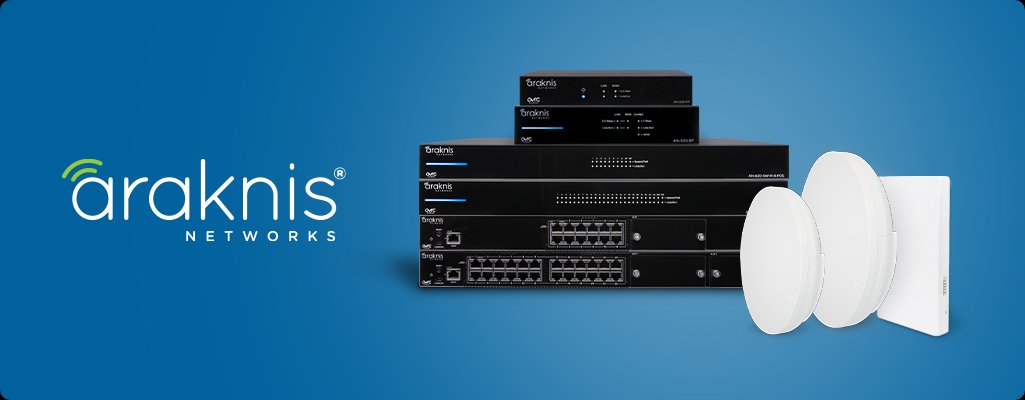
We build networks on business-grade Ubiquiti UniFi equipment: access points, switches and gateways managed from one dashboard. We also install Araknis networking, and WattBox power management for surge protection and remote reboots.
How we work
From first visit to long-term support
1. Consult
We visit, listen and learn how you live or work.
2. Design
A clear plan and quote, with options at different budgets.
3. Install
Clean, careful installation by our own team.
4. Support
Training, tune-ups and local service when you need it.
Related solutions
Works even better with
Ready to see what is possible?
Tell us about your space. We will come by, listen, and put together a plan that fits how you live or work, and your budget. The consultation is free.